What's new
Pinball info

Register a free account today to become a member! Once signed in, you'll be able to participate on this site by adding your own topics and posts, as well as connect with other members through your own private inbox!

In Progress Aerosmith Pro

Devil-Mish

Site Supporter
Joined
Mar 14, 2023
Messages
279
Location
Gloucester
Starting up a new thread on this machine rather than replying to Alpha's (https://www.pinballinfo.com/community/threads/aerosmith.63311/) as it didn't get properly started and so he doesn't get constant pings for my ramblings...

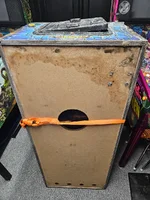
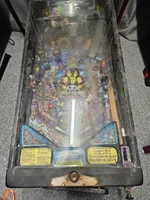
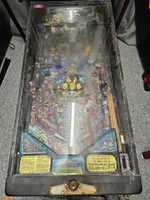
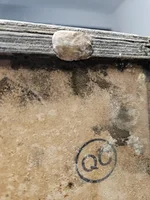
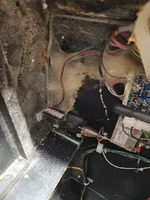
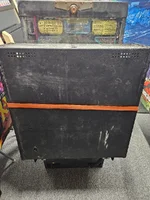
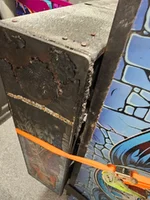
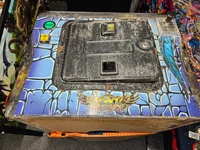
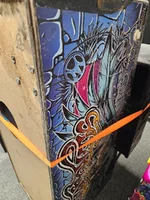
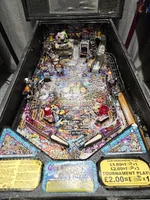
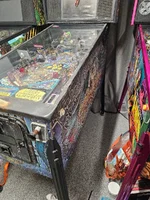
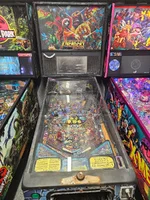
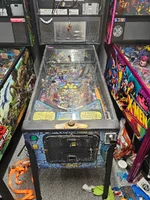
So... Definitely needs new artwork all around after the initial look, art on the side of the cab is damaged, cracked and not fixable. Attached pictures of all sides of the cab to get us started.

I'm aiming to focus on getting the cab playing first, if it's running and it's just cosmetic as it goes it'll be a much more enjoyable project, I hope!

That being said, I've already ordered new legs / bolts, back bolts, coin door and locks, shooter assembly. Should be here hopefully tomorrow, thanks Pinball Heaven!
 

Attachments

  • 20251222_073948.webp
    20251222_073948.webp
    252.6 KB · Views: 128
  • 20251222_080006.webp
    20251222_080006.webp
    267.6 KB · Views: 130
  • 20251222_080003.webp
    20251222_080003.webp
    259.7 KB · Views: 123
  • 20251222_075223.webp
    20251222_075223.webp
    208 KB · Views: 106
  • 20251222_074123.webp
    20251222_074123.webp
    180.9 KB · Views: 102
  • 20251222_074014.webp
    20251222_074014.webp
    249.6 KB · Views: 101
  • 20251222_074006.webp
    20251222_074006.webp
    174.6 KB · Views: 101
  • 20251222_073958.webp
    20251222_073958.webp
    343.6 KB · Views: 102
  • 20251222_073954.webp
    20251222_073954.webp
    234.8 KB · Views: 131
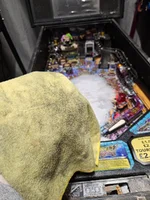
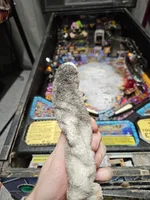
Initial round of cleaning done today, got rid of all of the spiders nests, cleaned up the playfield and glass.

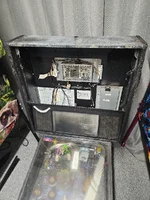
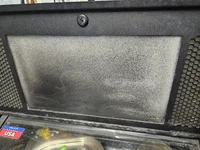
Attached the translite backbox bar, it was included but not attached, I assume to originally get into the back box without the key given the translite was missing. Attaching this back and using an extra key from another game so the LCD section at least stays up. Definitely needs another clear plastic front protector though.
20251222_080012.webp20251222_080012.webp20251222_080016.webp

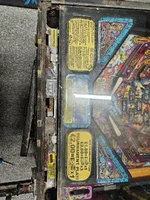
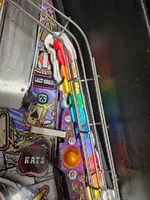
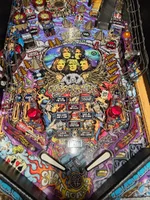
Now, the playfield clean, I bet you're looking forward to this, it was grim. The playfield and some of the front of the cab came up well, although it needs many more goes over I think until I'm happy with it.
20251222_115549.webp20251222_115800.webp20251222_115803.webp20251222_120146.webp20251222_120558.webp20251222_120607.webp20251222_121057.webp20251222_121059.webp20251222_121102.webp20251222_121105.webp
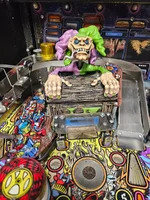
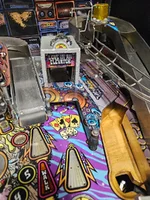
I love the colours in this machine already.

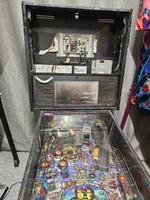
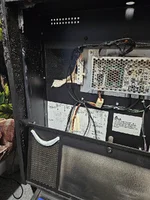
Next to start taking a look at this wiring, get the cage off and see what we're dealing with:
20251222_122506.webp20251222_122654.webp20251222_122657.webp20251222_123106.webp

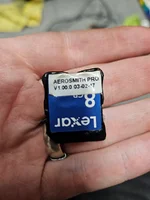
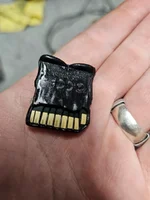
Slightly worried to see the SD Card be melted into the CPU slot... Hopefully it's just where the cage got hot on the plastic and not anything more but we'll find out soon.

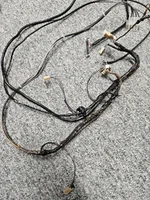
Reburned a new SD Card, and taking some cables from a Jurassic park to be able to test soon... But need to get the PSU out and give that and the Power distribution board a good look over before I'm comfortable to give it a blast.

The fuse is in tact though so I'm crossing my fingers.
 

Attachments

  • 20251222_080025.webp
    20251222_080025.webp
    233.9 KB · Views: 42
If the PDB needs replacing and it’s one without an interlock switch I may have a spare one you can have for free but probably can’t post till after Xmas now.

Good luck with this, looks like a lot of work.
 
Looks like its gotten wet at some stage? Hope it didn't get a hosing down
 
Good luck fixing this pin up! Really enjoying reading your posts. I’m confident you’ll get it up and running again.

Fingers crossed the CPU board is working 🤞🏻
 
Well some good news and some bad. I've been whittling away all day at individual things, testing everything in isolation carefully, and have hit the first stumbling block albeit much later than I was expecting.

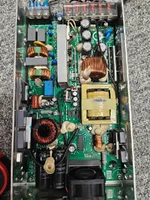
So first, power supply, I had to take this apart to give it a once over before doing anything else, can never take a chance with these things. But all in all it looks good, no broken joints or bad caps, and I chucked in a pinmonk PSU fan for good measure.
20251222_194916.webp

Plugged that and the PDU in, seemed to read fine...
20251222_201245.webp

Then the CPU... That read all rails fine
20251222_201606.webp20251222_201610.webp

LCD had a few teething issues but eventually got that firing up with a new Aerosmith SD card! Although didn't get any pictures of this (because bloody SD card burning issues, had it working with JP first, but none of my Aerosmith freshly burned cards would work originally)

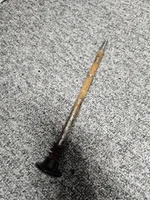
Anyway, before the playfield power, a gift from pinball heaven's 24 hour delivery service came so I spent some time putting some Legs on it, and replacing the plunger (not the whole housing for now, as there's some burred screws that'll take a bit more sorting)
20251223_101604.webp
20251223_101608.webp
That damn plunger was dreadful to get out!
20251223_103216.webp

Next on to cabinet power, initial signs looked ok, node boards all responded when I eventually plugged them all in to be safe, all posted. Although when the game does it's checks, I get a very fast yellow pulse on the node 1 cabinet board...and the same across the 8 and 9. Coils fire fine in the test menu, switches don't register.
It comes up with an error: check power distribution unit, that's it! I swapped a node board out of JP with the node 8 and 9 boards in sequence to validate they're both the same result and it was, so I believe it's not node board related despite the node 1 board not getting all it believes it should.

So that's where I'm at, back to believing maybe a higher demand on the PDU is dropping the voltage on the unit.

A hell of a lot of work already to get to this point but some positive signs, the game boots, the coils all fire as they should in test mode, just need the damn switches to work now!
 
With how badly melted that SD card is, there’s a chance that there is damage to the data lines from the card to the board. Check the back of the CPU board carefully for any links that shouldn’t be there and then the traces to make sure they’re complete.

I’ve had the “check pd board” message before. Sadly I can’t remember how I fixed it (think it was Spike 1)

The good news is the PD board is pretty simple and easy to check everything on it, if that’s ok, I think
you’re going to have to bite the bullet and try the node boards from Aero one by one in the JP (with cabinet board last).
 
With how badly melted that SD card is, there’s a chance that there is damage to the data lines from the card to the board. Check the back of the CPU board carefully for any links that shouldn’t be there and then the traces to make sure they’re complete.

I’ve had the “check pd board” message before. Sadly I can’t remember how I fixed it (think it was Spike 1)

The good news is the PD board is pretty simple and easy to check everything on it, if that’s ok, I think
you’re going to have to bite the bullet and try the node boards from Aero one by one in the JP (with cabinet board last).
Thanks for your insight. I did take the CPU board out and have a look, I couldn't immediately see any damage and the game does boot successfully so I guess that's fine.

Yeah I'm at a bit of a loss for now, need to do some more poking around, measure voltage with 0 node boards, then with 2-3 etc to see if it does indeed drop voltage.

The JP node board worked with the same issues present in Aerosmith, no switches, same quick yellow pulsing on cabinet node, etc.

I'd also noticed that some LEDs are completely out, whilst some, one in particular flickers occasionally which leads me back to lower voltage, and there's a faint hum coming from the mech motor so assume again it's a low power screech.
 
Maybe a silly answer but on the early games with interlock switch on the coin door of it wasn’t pulled out the switches would not work either
 
Maybe a silly answer but on the early games with interlock switch on the coin door of it wasn’t pulled out the switches would not work either
No silly questions / answers to help me debug the madness!

It doesn't actually have an interlock switch, and I cannot see a loom for it, apparently there was a period where switch wasn't including them, this supposedly being one of them.

I assume thats confirmed by the fact the coils work in the test menu, even though the switches don't?

A brief update... I intend to splice and recreate the PDU to CPU cable given the ports don't look too bad, and supposedly it's impossible to source one of these things? Not a single supplier anywhere sells them which feels insane to me. I'll also start to metal brush some of the rust off, especially around the grounded parts to ensure that isn't having an impact on the switches if the grounding working effectively.

Otherwise I've been on a buying spree, I've priced up everything I think it needs, and purchased the parts required to get it working. New lvds cable, translite, even sourced some official artblades (as I was ordering from the US anyway, which again cannot be easily sourced in the UK/EU apparently).

I'm about £600 deep already, and I reckon we're about another £700 in before it's beautiful again, but I want it to be a machine I can present back to this community at some point and people say 'wow, is that the same machine?'
 
Last edited:
No silly questions / answers to help me debug the madness!

It doesn't actually have an interlock switch, and I cannot see a loom for it, apparently there was a period where switch wasn't including them, this supposedly being one of them.

I assume thats confirmed by the fact the coils work in the test menu, even though the switches don't?

A brief update... I intend to splice and recreate the PDU to CPU cable given the ports don't look too bad, and supposedly it's impossible to source one of these things? Not a single supplier anywhere sells them which feels insane to me. I'll also start to metal brush some of the rust off, especially around the grounded parts to ensure that isn't having an impact on the switches if the grounding working effectively.

Otherwise I've been on a buying spree, I've priced up everything I think it needs, and purchased the parts required to get it working. New lvds cable, translite, even sourced some official artblades (as I was ordering from the US anyway, which again cannot be easily sourced in the UK/EU apparently).

I'm about £600 deep already, and I reckon we're about another £700 in before it's beautiful again, but I want it to be a machine I can present back to this community at some point and people say 'wow, is that the same machine?'
You should be able to buy the plugs and inserts for the cable separately at RS. Please measure the power rails under load to see if the PSU is fine (it should be). If the SD card melted there is a good chance other ports have been affected. Easiest would be to swap another CPU in to see if that mitigates the issues. Failing that, inspect the CPU with a loupe, also for insulation drippimgs as they can be highly corrosive.
 
I've been speaking with Kyle Spiteri over at Stern Tech Support, what a hero, he's been very detailed about the Stern Spike 2 behaviours and I've learnt a lot in the few engagements I've had with him.

He too is suspicious of the CPU board and recommended swapping that out as the next test, and believes the PDU is entirely fine and it's not to do with the rails dropping as it's powered via the 48v rail and it then splits and reduces from the PDU, controlled via the CPU to send the different voltages down stream.
 
Quick update on the Aerosmith rescue mission… it’s definitely alive, but still being weird.

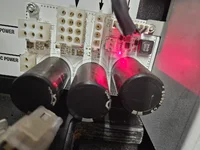
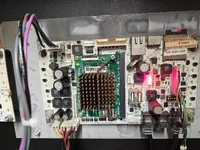
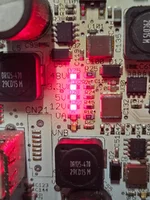
The big clue he spotted was in one of my photos: the VA + VNB LEDs weren’t lit on the CPU, and he said the game basically shouldn’t be running properly if VNB isn’t up (node bus voltage). He suggested a CPU swap as the quickest proof test.

So today I did that — swapped in a known good Spike 2 CPU — and straight away VA + VNB now light up properly and audio works fine.

BUT… immediately after the CPU swap I got a horrible high pitched squeal from Node 1 and a Node 1 error. Swapped Node 1 as well and that stopped, and now it boots with no node errors.

Where it’s at now:
Start button works
But trying to start a game gives “Locating Pinballs” even though all balls are in the trough (and the opto LEDs are lit)
In switch test no playfield switches register at all, so it makes sense it can’t find balls
Also all the node boards keep doing the fast blinking yellow like there’s still comms issues
I tried isolating loads thinking maybe something was shorting:
unplugged everything from the nodes so they only had power + RJ45
even swapped a known good JP node into Node 8/9 slots…
no change, still fast blinking yellow, so doesn’t feel like a single “bad node board”
Most telling test:
stripped it down to CPU → Node 1 only, one RJ45 cable, node 1 CAN OUT disconnected… and Node 1 still fast blinks. So at this point it feels like it’s either:
CAN cables / CAN IN vs OUT ports / ground termination
or still something odd on the CPU side / wiring even though it boots and VA/VNB look good
Next step is to bin all the RJ45 cables and try brand new Cat5e and triple-check I’m in CAN IN/OUT correctly.

Getting there... But jesus Christ, if it's a CPU board, and a node 0 board replacement ,I'll be well out of pocket by the time I'm finished with this bloody thing 😅
 
That's my fear with a project like this. Yes you can buy new parts to just swap in, but with the price of some of the parts you can soon spend more than what a good working machine would cost. That's the gamble I suppose :)
 
Sounds like your bus cables are toast. Someone on here is repairing Spike 2 boards, I can have a look as well.
 
Some of the solder joints do look cold / fragile but I'm not an expert in PCB repair, only done pretty basic tracing / soldering jobs in the past.

I'll post some pictures here at some point soon of the 2 boards in question.

Ive shared the latest update with Kyle, see what he comes back with and will update the thread with those next steps too, may be a short while until the next update with the holidays.
 
Given the playfield area didn’t get that hit I’d suspect the cabling from the backbox to the playfield, use a new cable and see what happens. Is anything visibly blown on node 1?
 
They're standard cat5/e cables yeah - I've got some replacements on order to try this next, as well as clean the rust up around the backbox incase it's a grounding issue.

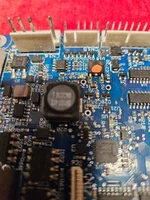
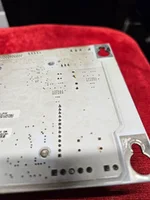
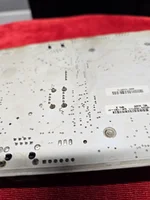
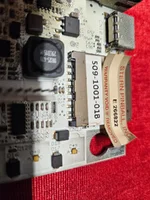
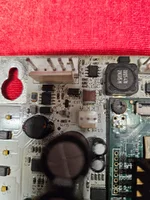
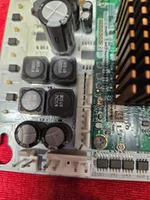
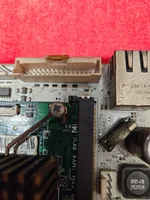
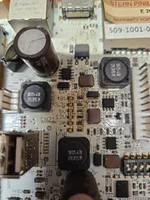
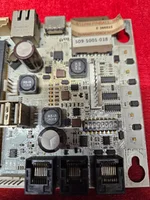
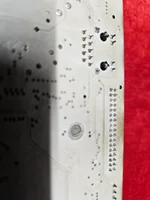
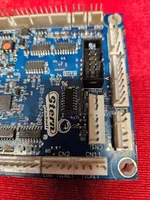
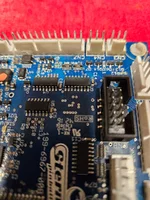
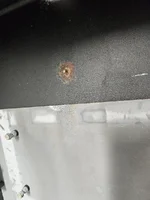
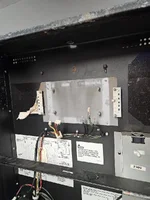
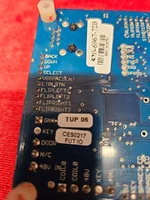
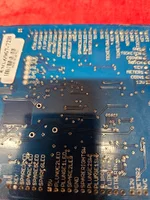
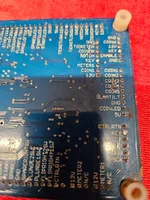
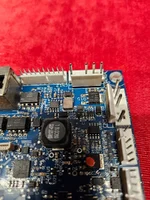
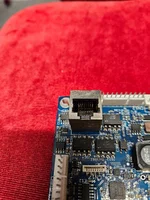
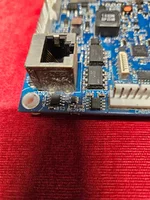
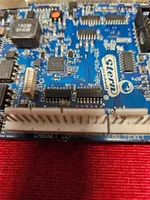
Heres a ton of pictures of the boards, the CPU definitely doesn't work, but the node 0 I cannot see any issues, baring some excess cobwebs!

Some of the plastics around the backbox had melted away so you couldn't actually get a translite in, cleaned it up and it's currently home to the closest alphabetical stern spike 2 translite, while I wait for th Aerosmith pro one to come in.
20251226_195909.webp
 

Attachments

  • 20251226_192609.webp
    20251226_192609.webp
    255.8 KB · Views: 38
  • 20251226_192415.webp
    20251226_192415.webp
    99.3 KB · Views: 34
  • 20251226_192414.webp
    20251226_192414.webp
    74.2 KB · Views: 30
  • 20251226_192350.webp
    20251226_192350.webp
    152.6 KB · Views: 30
  • 20251226_192337.webp
    20251226_192337.webp
    232.5 KB · Views: 29
  • 20251226_192334.webp
    20251226_192334.webp
    196.8 KB · Views: 29
  • 20251226_192329.webp
    20251226_192329.webp
    194.9 KB · Views: 29
  • 20251226_192324.webp
    20251226_192324.webp
    176.5 KB · Views: 28
  • 20251226_192321.webp
    20251226_192321.webp
    197.1 KB · Views: 28
  • 20251226_192427.webp
    20251226_192427.webp
    60.4 KB · Views: 27
  • 20251226_192553.webp
    20251226_192553.webp
    248.7 KB · Views: 24
  • 20251226_192607.webp
    20251226_192607.webp
    180.4 KB · Views: 25
  • 20251226_195956.webp
    20251226_195956.webp
    187.3 KB · Views: 23
  • 20251226_195952.webp
    20251226_195952.webp
    134.9 KB · Views: 23
  • 20251226_192641.webp
    20251226_192641.webp
    215.7 KB · Views: 23
  • 20251226_192639.webp
    20251226_192639.webp
    220.5 KB · Views: 23
  • 20251226_192636.webp
    20251226_192636.webp
    238.4 KB · Views: 25
  • 20251226_192627.webp
    20251226_192627.webp
    207.8 KB · Views: 25
  • 20251226_192625.webp
    20251226_192625.webp
    200 KB · Views: 25
  • 20251226_192616.webp
    20251226_192616.webp
    242.5 KB · Views: 24
  • 20251226_192611.webp
    20251226_192611.webp
    256.6 KB · Views: 35
Back
Top Bottom